 Empty Basket
 for iPhone
Your pantry has things to say.
A pantry-first shopping list app for people who don’t need a shopping app. You maintain the pantry; it shows you what’s missing, where to buy it, and in what order. Nothing else.
Coming soonto the App Store, for iPhone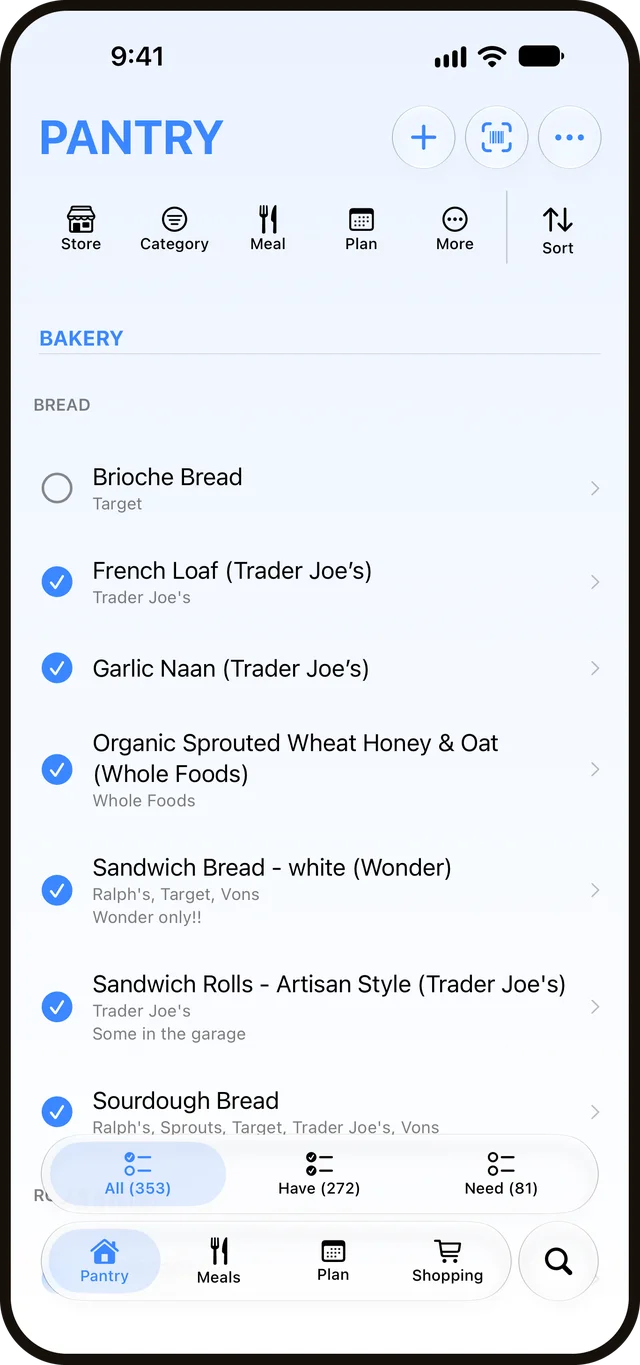
Your shopping list didn’t used to be this long.
It started simple — milk, eggs, bread. Then you added the things you only buy sometimes, the things you kept meaning to restock, the things someone else added. Now the list is two hundred items deep, and you’re standing in the store scrolling past the stuff you don’t need to find the four things you came for.
Empty Basket was created to help.
285 pantry items. Navigates like 40.
How it works
(and how little you do)
Keep your pantry.
Add items you might want to buy. Organize them by category. Connect them to a store. Your pantry is the center of everything.
Mark what’s out.
Tap to mark items out of stock when you run low. That’s it. That’s all the maintenance you’ll do after setup.
Generate the list.
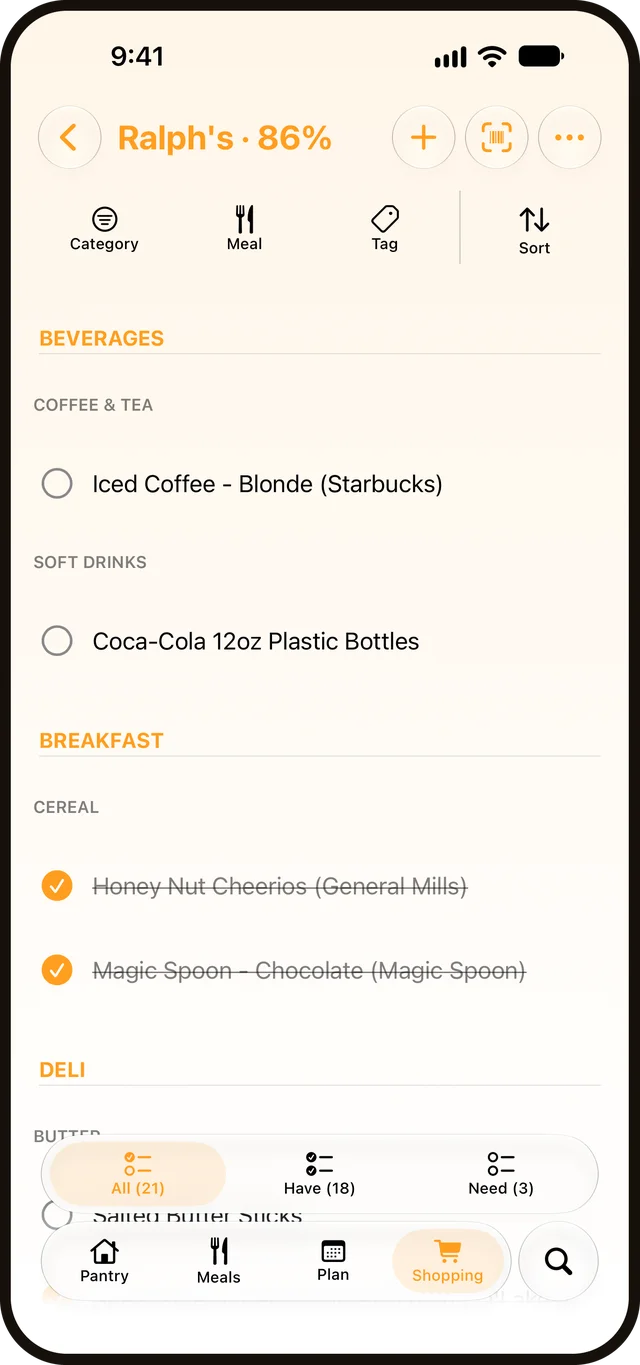
Heading to Trader Joe’s? Tap shop. You get a list of only out-of-stock items sold there, in the order you’ll walk past them. Check items off as you go; they’re marked in stock and disappear from view.
The shopping list
Set up once. Shop forever.
Tell the pantry which stores carry each item and where to find it. From then on, every shopping list comes out in store order, by category or by aisle, showing only the items you need and arranging them the way you actually shop.
You can make it as precise or as loose as you like. Empty Basket does what you ask and nothing you didn’t.
Filters & views
One pantry. Every view.
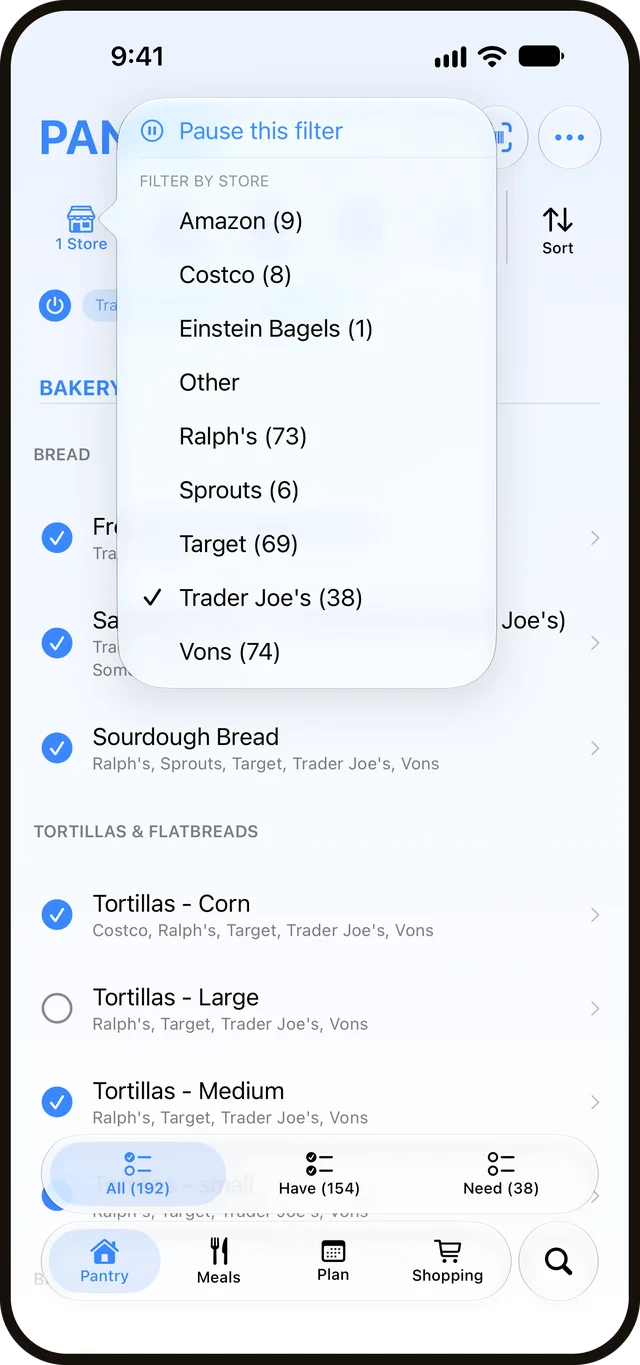
Whatever you’re thinking about — a whole category, a single store, just what’s run out — a few quick taps, and your pantry reshapes to match. Everything else drops away, and you’re left looking at exactly what you wanted.
Meals
A meal is just its ingredients.
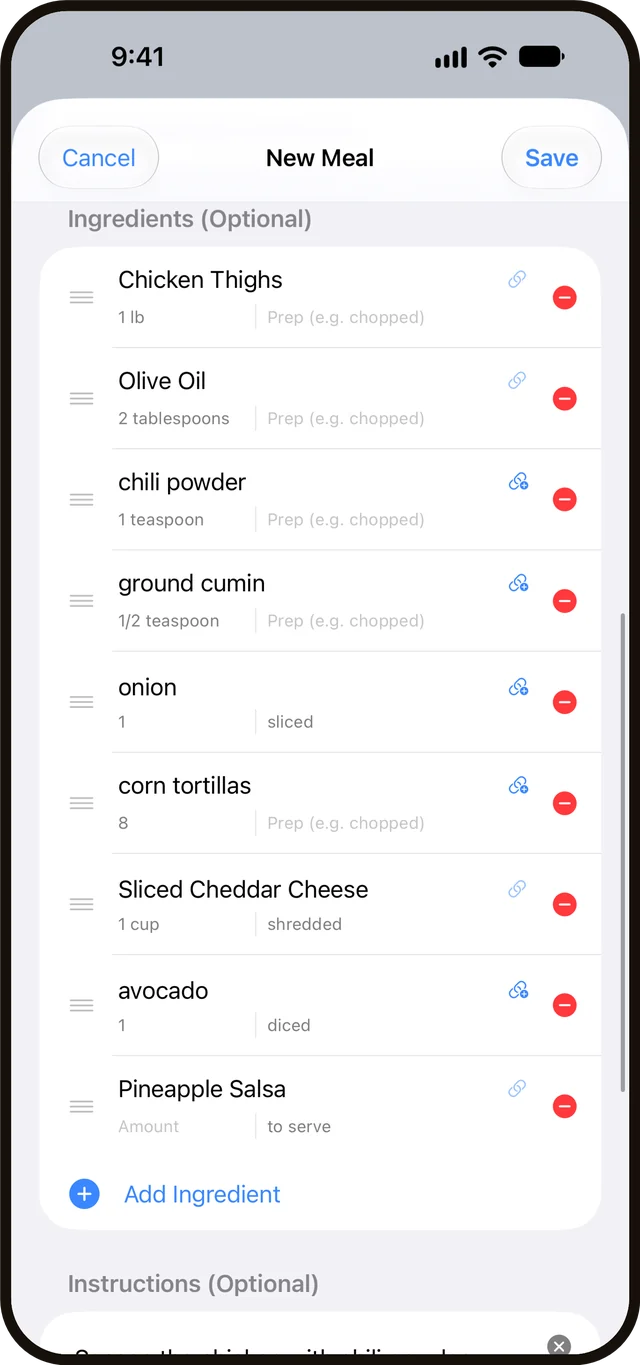
Group the pantry items a meal needs — taco night, Sunday sauce, the lunch you make every week — and that’s a meal. Add a recipe link, instructions, a rating, servings, or a meal type if you want them, or leave all of it off.
Got it on a recipe card? Scan it, and the ingredients come in already linked to your pantry, with the steps along for the ride. Empty Basket doesn’t care what you cook. It only wants to know what a meal needs, so it can tell you what to buy.
The plan
Plan the week. Get the lists.
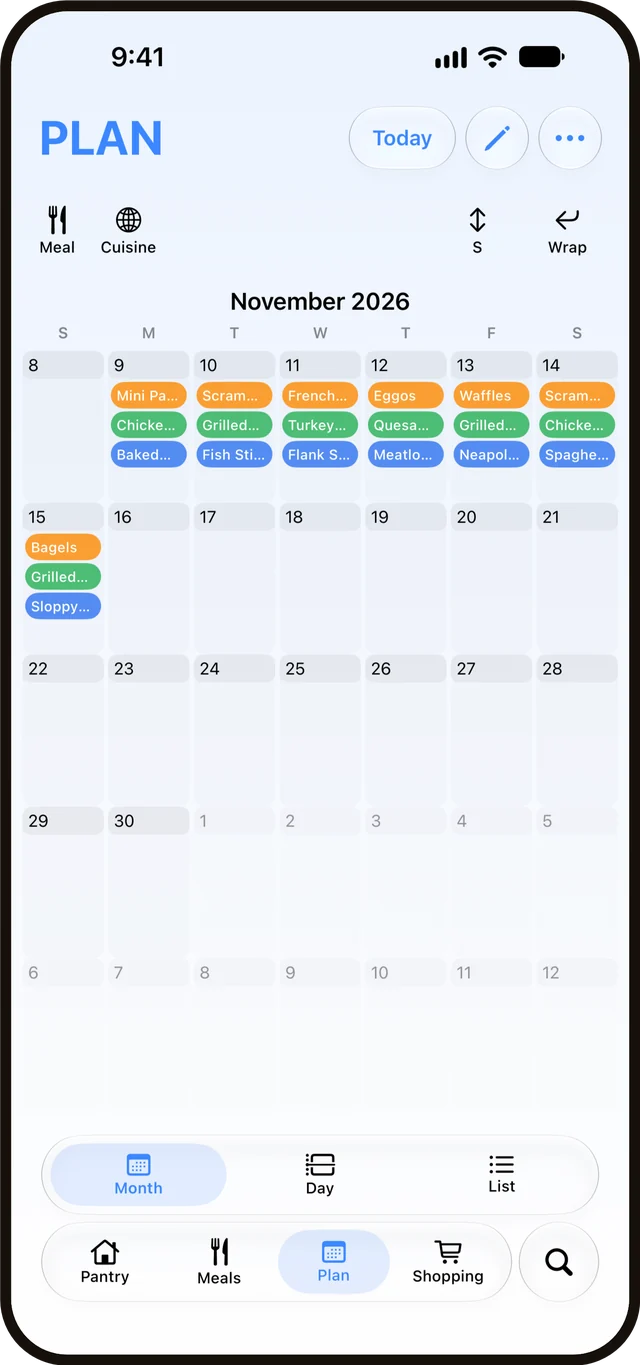
Drag your meals onto a calendar — by month, by day, or as a list — and you’ve got a plan. Pick any stretch of days and Empty Basket turns it into a shopping list, or several split by store, for exactly that window. You decide what’s for dinner; it works out what that means at the store.
Subscribe to your own calendars to plan around the life you’ve already got, or publish the plan as a calendar the people you feed can follow — no Empty Basket required on their end. Like everything here, lean on it or don’t.
Household sharing
Stop being the only one who has to remember.
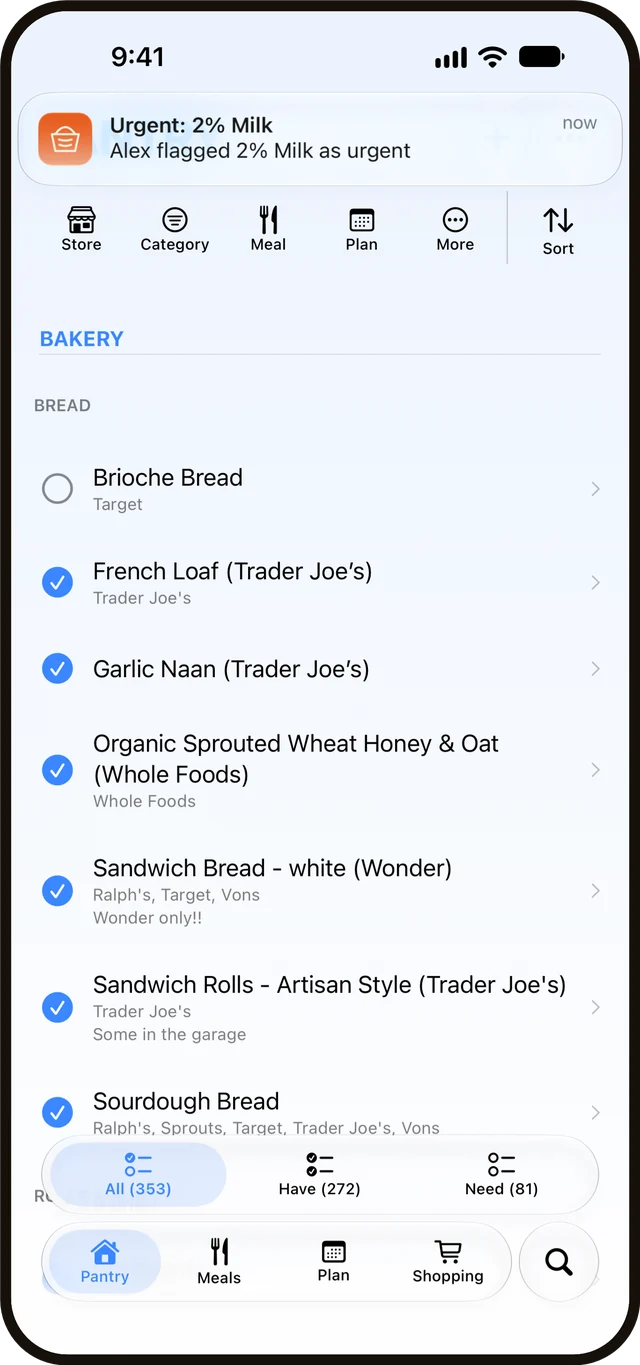
Add your household to a shared pantry and keeping track stops being one person’s job. Whoever runs out of something can mark it, and whoever’s doing the shopping sees it — even in real time, while they’re standing in the aisle.
Flag something as urgent and everyone gets notified. Meals and the meal plan are shared the same way, so the week gets planned once, not by everyone separately. Now nobody has to carry the whole pantry in their head.
A few smaller things
Your pantry remembers so you don’t have to.
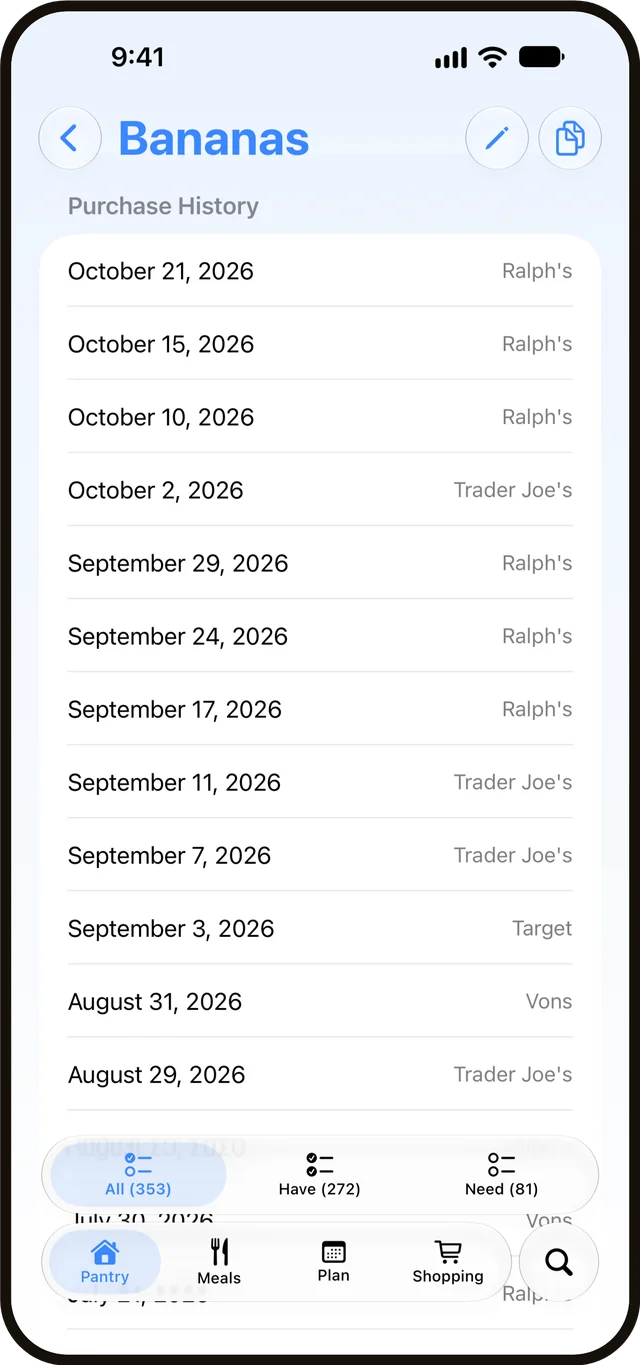
Search the whole pantry when you need to find something fast. And every item keeps its own history, so you can check when you last bought it, how often, and where.
What it’s not
It does less. On purpose.
Empty Basket plans your shopping, not your meals. There’s a calendar — drag meals onto it and it works out what to buy — but it will never tell you what to cook, suggest a recipe, or decide your dinners. It’s not a coupon scanner or a calorie tracker. It won’t predict what you’re out of or quietly add things you didn’t ask for.
The moment an app starts guessing what you want, it starts getting things wrong — so Empty Basket doesn’t guess. It only knows what you tell it. Thankfully.
Pricing
Free for one.
A subscription to share.
Using Empty Basket on your own is free forever — your whole pantry, your shopping lists, your meals, with nothing held back. Sharing it with the people you live with is $2.99 a month or $14.99 a year, free to try for 30 days, and everyone you invite joins free.
Questions
Do I have to build my whole pantry first?
No. Start from a ready-made starter pantry and trim what you don’t want, or build your own from scratch — either way you’re up and running in a few minutes. The pantry fills in naturally as you shop. It’s a starting point, not a chore.
Will you add a recipe library or meal suggestions?
Probably not. Empty Basket keeps the recipes you already cook — type them in or scan the card — but it won’t go looking for new ones or tell you what to make. It was created to do a few things really, really well, and we’d like to keep it that way.
If a feature request makes the pantry sharper or easier to use, we won’t hesitate to add it. If it’s feature creep, we’ll make sure Empty Basket stays what it is: a pantry-first shopping tool with zero opinions about what you should buy.
What devices does it work on?
iPhone, for the time being. We want to focus on making a really useful app right now. Once we’re confident we’ve made Empty Basket as great as it can be, we’d love to explore other platforms.
Who pays?
The person who shares their pantry. Using Empty Basket on your own is free forever: your whole pantry, your lists, your meals, nothing held back. Sharing is the only thing that costs anything, and one subscription covers the whole household — everyone you invite joins free.
What happens if I stop paying for sharing?
Your pantry stays exactly as it is — every item, every meal, every bit of history — and you keep using it on your own, free. The people you invited go back to their own pantries, which are just as they left them. Resubscribe anytime and invite them back with a new code.
What about my data?
Sign in with Apple gives you an account — a private relay email is fine. Your pantry, lists, meals, and household live in the cloud (Google Firebase, in the US), which is what lets them sync across your devices and your household. We don’t collect your location, contacts, or anything the app doesn’t need to work. No ads, no analytics, no selling your data, no training AI on it, no tracking you across other apps.
The little help the app offers — suggesting a category, reading a recipe card or a label you scan, asking before you add a duplicate — runs entirely on your phone; scanned photos are never uploaded or kept. When you scan a barcode, only its number is sent to Open Food Facts, an open product database, to look the product up. You can delete your account and everything tied to it from Settings, anytime. The full policy is on our privacy page.