 Empty Basket
Settings
Your account, how the app looks and behaves, notifications, and household tools.
Open Settings from the ⋯ menu on any tab. It has four tabs: Account, Defaults, Notifications and Household. Members of someone else's household don't see Household.
Account
- Name: what other people in your household see. Tap it to change it. If it says Add Your Name, Apple didn't share a name when you signed in; add one so your household doesn't see "Unknown".
- Signed in as shows your email.
- Sign Out and Delete Account.
- Household: inviting, joining, members and the sharing subscription. See Sharing and the Subscription.
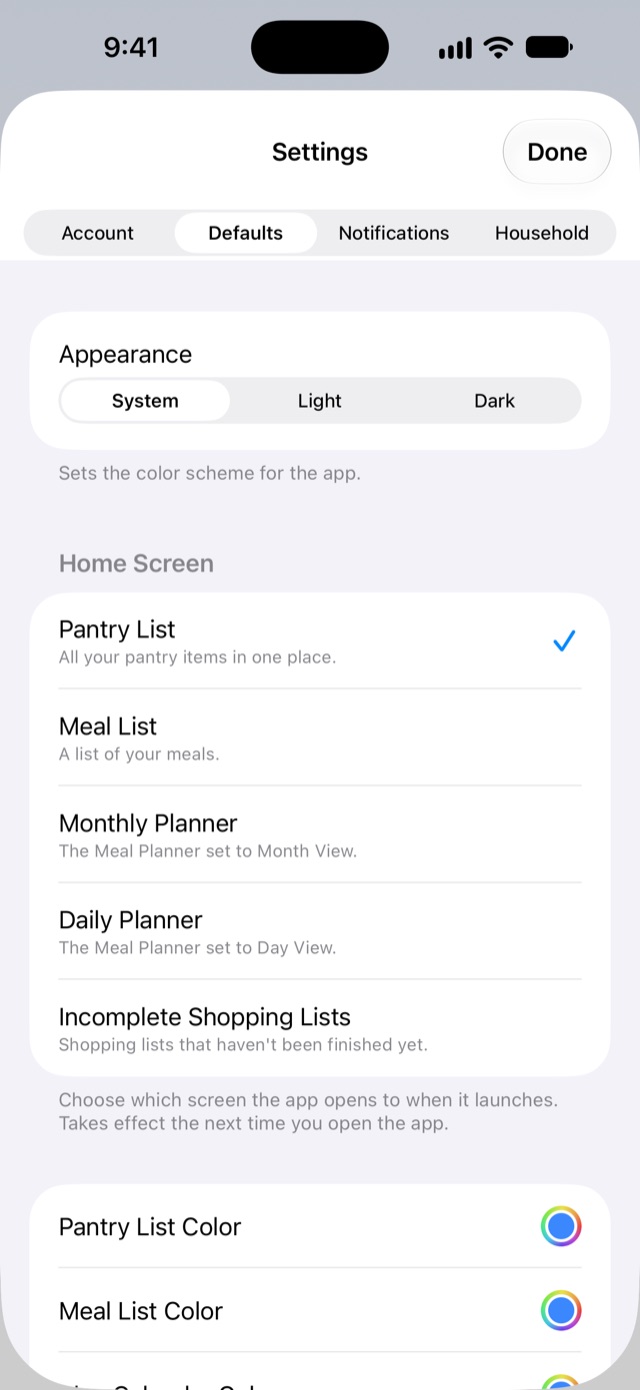
Defaults
- Appearance: System, Light or Dark.
- Home Screen: the screen the app opens to.
- Colors for the pantry, meals, plan and shopping screens, plus Reset to Defaults. Colors are set on each iPhone and aren't shared with your household.
- Flag Items Not Purchased In… marks items you haven't bought in a while. 0 turns it off.
- Sync Pantry and Shopping Lists: when it's on, checking an item off a list marks it in stock in the pantry.
- Display Stores in Pantry List and Display Notes in Pantry List choose what shows under each item.
- Display Need Count in Filters and Display Counts in Tab Picker show or hide the counts.
- Collapse Header on Scroll and Collapse Footer on Scroll shrink the top and bottom bars while you scroll, leaving more room for the list.
Notifications
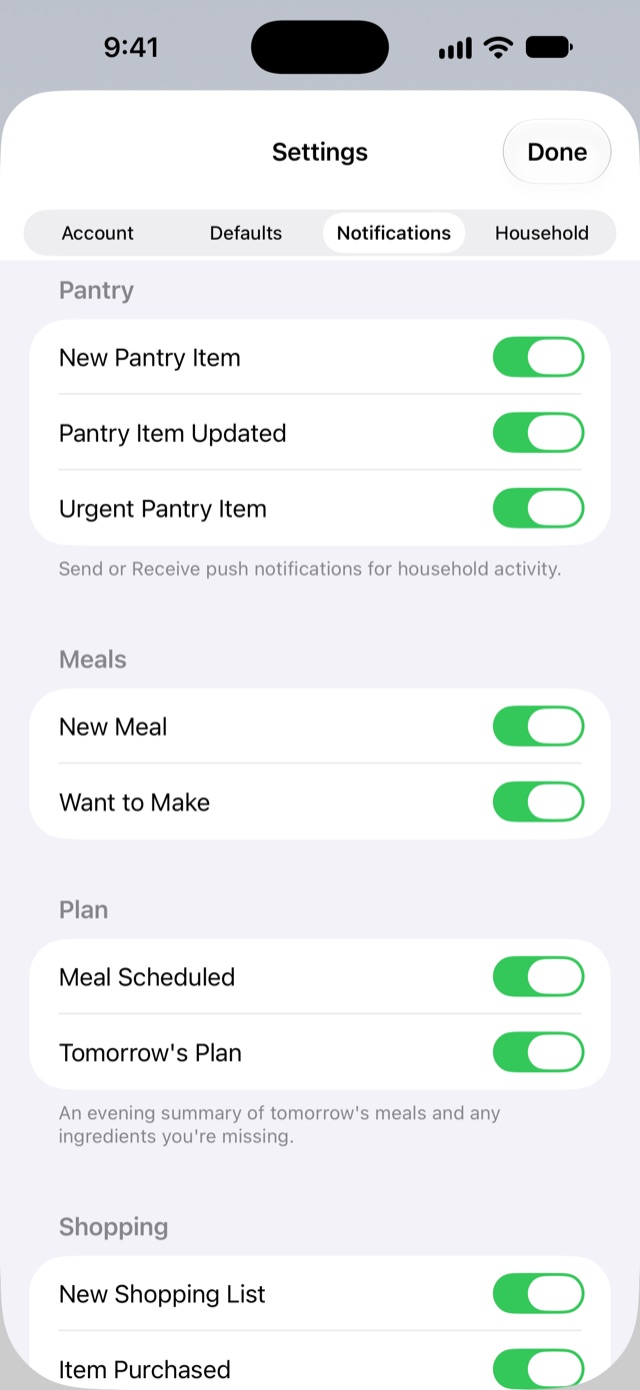
Choose which of these you get. Every one is about something someone else in your household did; you're never notified about your own changes.
- Pantry: New Pantry Item, Pantry Item Updated, Urgent Pantry Item.
- Meals: New Meal, Want to Make.
- Plan: Meal Scheduled, and Tomorrow's Plan, an evening summary of tomorrow's meals and anything you're missing.
- Shopping: New Shopping List, Item Purchased, Shopping List Completed.
If nothing arrives, check iPhone Settings → Notifications → Empty Basket too. Focus modes can hold notifications back.
Household (owner only)
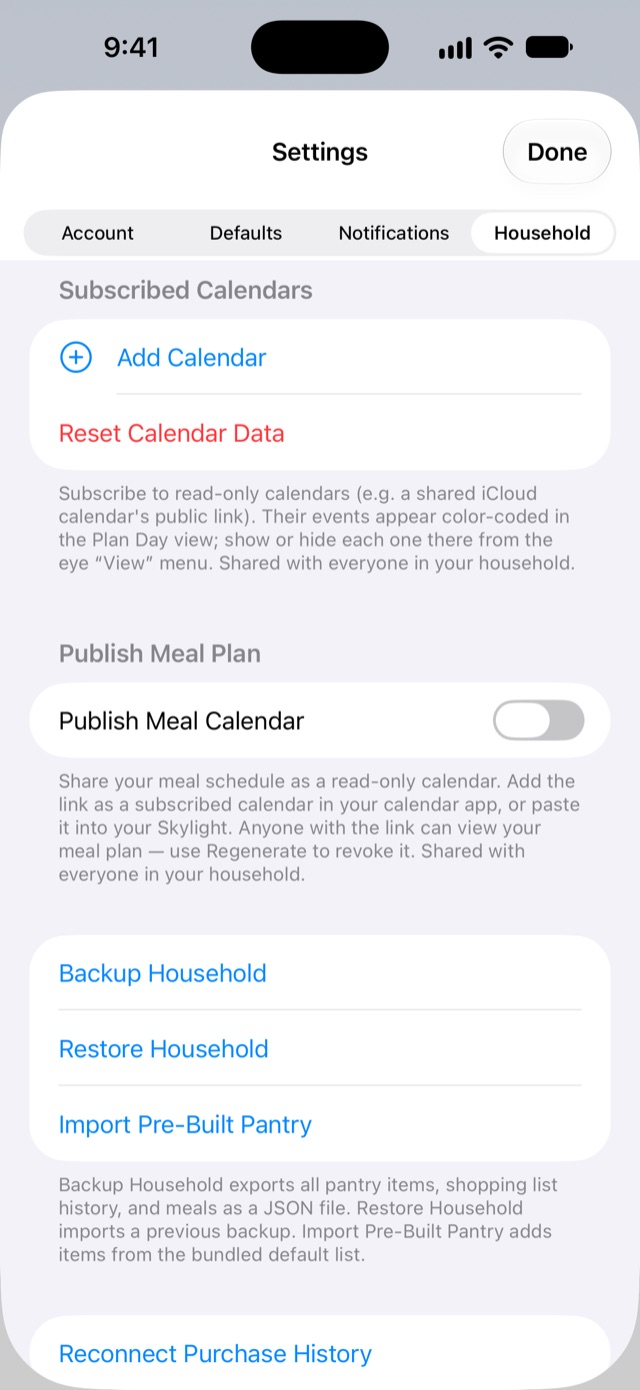
Subscribed calendars
Bring in a calendar you already use, such as a published iCloud calendar or a school calendar, so its events show in the Plan's Day view. Tap Add Calendar, paste its link (webcal:// or https://), and give it a name and a color. The whole household sees it. Calendars refresh every few hours, or tap Refresh All.
Publish meal plan
Turn on Publish Meal Calendar to get a link to your meal plan that any calendar app can subscribe to, including family wall displays. Breakfast, lunch, dinner and snacks get typical times; meals with no type appear as all-day. Anyone with the link can see the plan, so share it with care. Regenerate Link replaces it and stops the old link working.
Your data
- Backup Household saves your pantry, shopping history and meals as a file you can keep anywhere.
- Restore Household adds anything from a backup that isn't already in your pantry.
- Import Pre-Built Pantry adds the starter items, skipping any you already have.
- Reconnect Purchase History re-links past shopping trips to pantry items they've come apart from.
- Clear Pantry deletes every pantry item for everyone in the household. Clear Household deletes the pantry, lists, history and meals for everyone. Both ask first, and neither can be undone.